Phone numbers
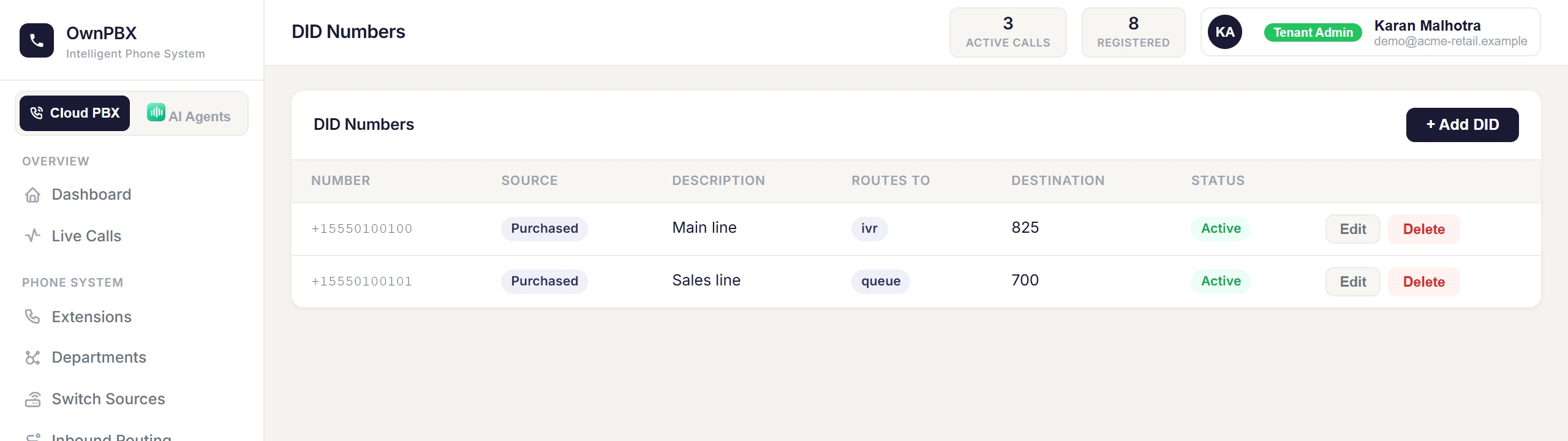
Route incoming calls on your numbers to extensions, IVRs, ring groups or queues.
Route a number
- Go to PBX → DID Numbers.
- Edit the number and choose where calls should go.
- Save. New calls follow the route immediately.
| Destination | Use it when |
|---|---|
| Extension | Calls should ring one person. |
| IVR Menu | Callers should choose an option, e.g. press 1 for Sales. |
| Ring Group | Several phones should ring together or in order. |
| Call Queue | Callers should wait in line for the next available agent. |
Getting numbers
Numbers can be allocated to you by OwnPBX, or you can use numbers from your own carrier (see Bring your own carrier). Some numbers need identity or business documents before they can be activated under Indian telecom rules — we'll let you know what's required.